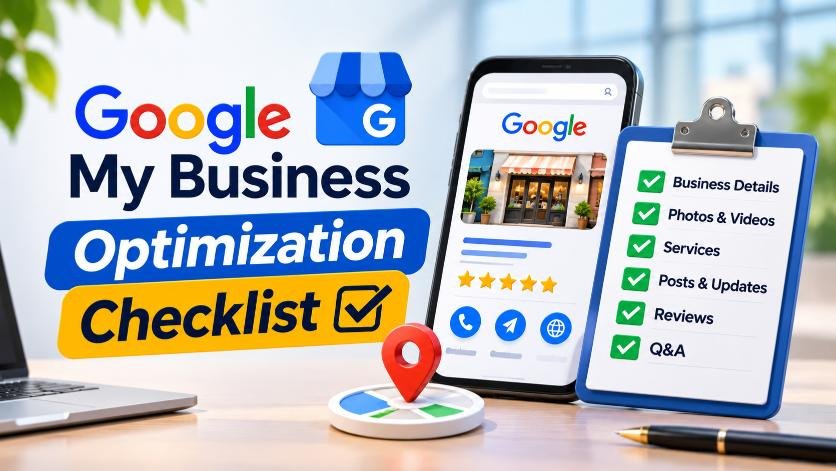
Your Google Business Profile (formerly Google My Business) is the single most important local SEO asset you own. A fully optimized GBP can get your business into the Local 3-Pack — the three businesses that appear in Google Maps at the top of local search results. This checklist covers every optimization step for 2026.
Google Business Profile Optimization Checklist
✅ Basic Setup
- Claim and verify your Google Business Profile
- Choose the most specific primary category for your business
- Add all relevant secondary categories
- Enter your exact business name (no keyword stuffing)
- Add your complete address with pincode
- Set accurate business hours (including holiday hours)
- Add your phone number and website URL
✅ Description & Services
- Write a 750-character business description with your primary keywords naturally included
- Add all your services with descriptions and prices (where applicable)
- Add all your products if you sell physical goods
- Set your service area (for service businesses)
✅ Photos & Videos
- Upload a high-quality logo (250×250px minimum)
- Upload a compelling cover photo (1080×608px)
- Add 10+ interior and exterior photos
- Upload team/staff photos (builds trust)
- Add product/service photos regularly
- Upload at least one video (30–60 seconds showcasing your business)
✅ Reviews
- Actively request reviews from satisfied customers via WhatsApp, email, or in-person
- Respond to every review (positive and negative) within 48 hours
- Never incentivize or fake reviews — Google detects and removes them
- Use review responses to naturally include keywords ("Thank you for visiting our SEO company in Jaipur...")
✅ Google Posts
- Publish at least 2 Google Posts per month (offers, events, news)
- Include a call-to-action in every post (Book Now, Call Us, Learn More)
- Use high-quality images in every post
- Promote seasonal offers and limited-time deals
✅ Q&A Section
- Seed your own Q&A section with commonly asked questions and detailed answers
- Monitor and respond to any questions customers submit
- Include keywords naturally in your answers
✅ Advanced Optimizations
- Add UTM parameters to your website URL to track GBP traffic in Google Analytics
- Enable messaging and respond within 24 hours
- Use Google's booking integration if you take appointments
- Add all relevant attributes (Wheelchair accessible, Wi-Fi, etc.)
How Often Should You Update Your GBP?
Google rewards active profiles. Post at minimum twice a month, respond to all reviews within 48 hours, update photos monthly, and check your insights weekly for trends in how customers find and interact with your profile.
Need Professional GMB Management?
If managing your Google Business Profile consistently feels like too much, our Google My Business management service handles everything — weekly posts, review responses, photo uploads, and monthly performance reporting. We've achieved an average 4.6+ GMB rating across our client portfolio. Get in touch to learn more.